Logg ut Hei
Menu
Søg
HandlekurvHandlekurv0 total 0,00 NOKKurv
Rask levering Kundeservice 08-22 30 dagers angrerett Få 7% rabatt - Club Trendy

Samsung Galaxy S5 microSD Card Replacement

Send this link via e-mail


thumb image 1
thumb image 2
thumb image 3

Step 1 - Rear Case

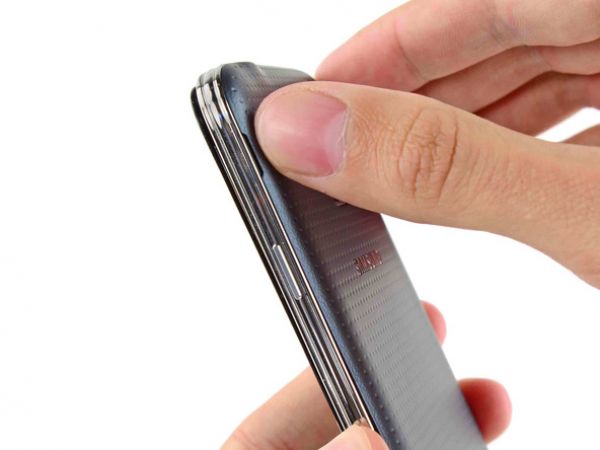
  • Push a plastic opening tool or one of your fingernails into the opening to the left of the rear-facing camera.

  • Separate gently and twist the rear cover in order to get it off the back of the phone.
thumb image 1
thumb image 2
thumb image 3

Step 2 - Battery
Back to top

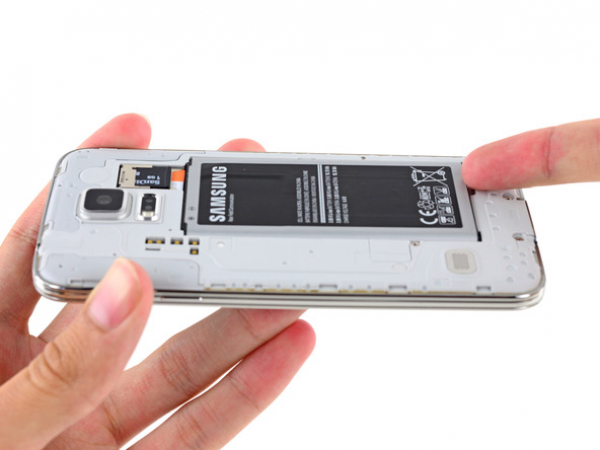
  • There is a recess in the bottom right corner of your phone's battery. Once again, push a plastic opening tool or your fingernail into the recess, and lift up the battery.

  • Take the battery out of the phone.

thumb image 1
thumb image 2

Step 3 - MicroSD Card
Back to top

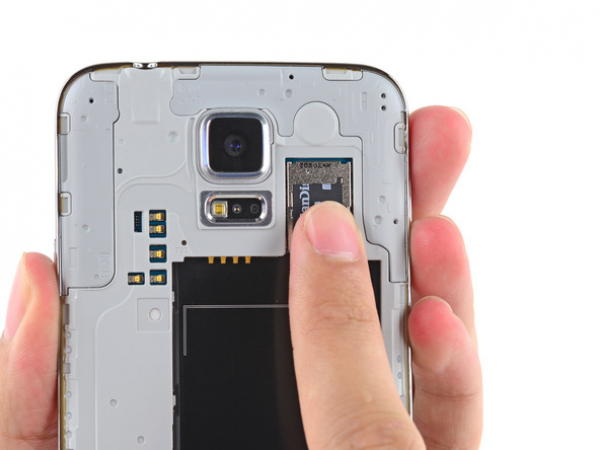
  • Pull down the microSD card out of its slot with your fingertip.

  • Take the microSD card out of your phone.


Kundeservice 100% Trygghet og Sikkerhet Godkjent av Trygg E-handel
Personlig kundeservice
Telefonstøtte 5 dager i uken fra 10-15 Live chat hver dag 08-22 (lør-søn 10-18)
Produktsortiment
Stort produktsortiment - Over 100 000 produkter
Priser og kunder
Lave priser
Over 8 000 000 fornøyde kunder
7% rabatt ved medlemskap i Club Trendy Leveringstid: 1-2 hverdager 30 dagers prisgaranti
E-handel
Over 100 000 produkter
Online siden 2003
Mer enn 300 ansatte
17 nettbutikker i forskjellige land