Få penger for din gamle mobil
 Lag ditt egetdeksel og gadgets
 Ordrestatus
 Min Club Trendy


iPad 4 Wi-Fi Adhesive Strips Replacement (New Panel)

Send this link via e-mail
|
Tweet |
|


Step 1 - Front Panel Assembly (2)
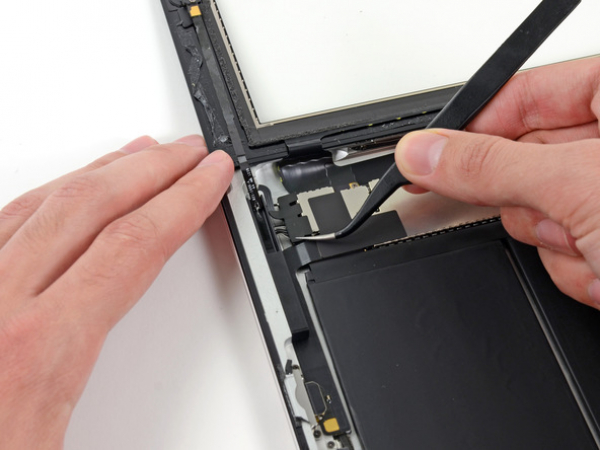
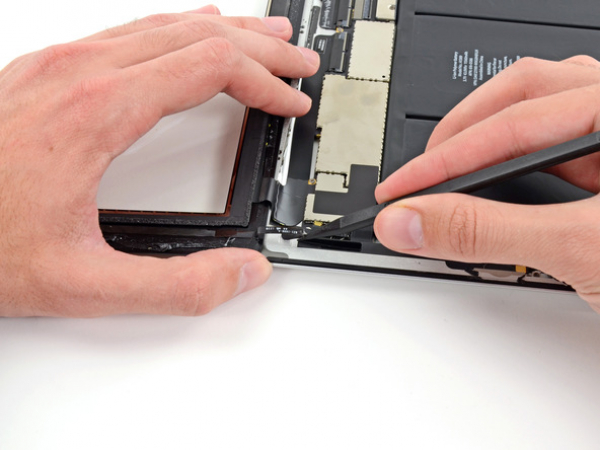
If there's a piece of electrical tape covering the Wi-Fi antenna, speaker cable and the home button ribbon cable, remove it.




Step 3
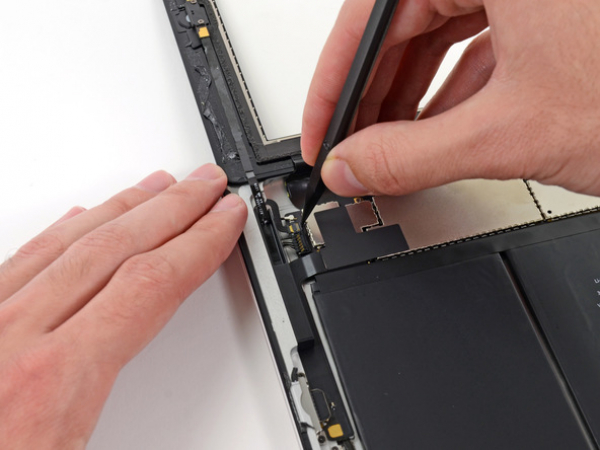
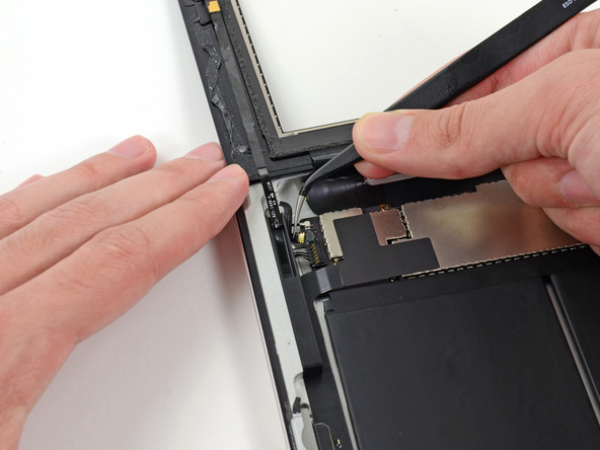
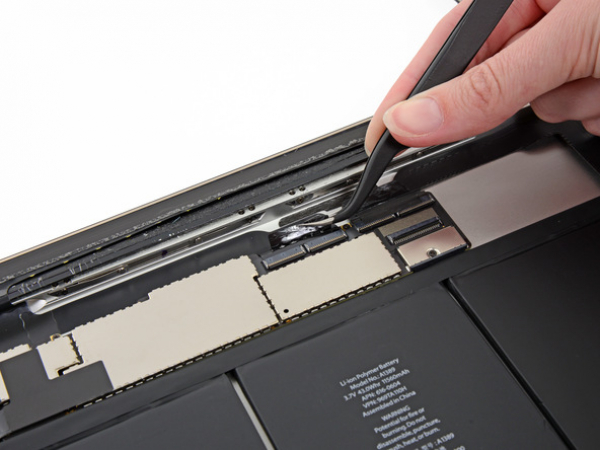
Pull the home button ribbon cable out of its socket on the logic board. Do this with a pair of tweezers.
Step 5
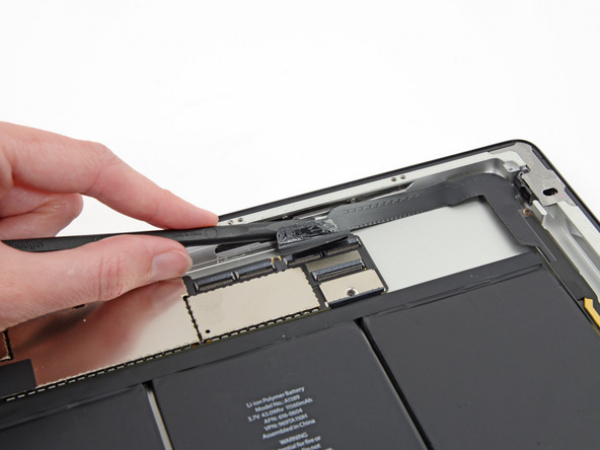
A piece of tape is securing the digitizer ribbon cable to the logic board. Peel it back with a pair of tweezers.




Step 7
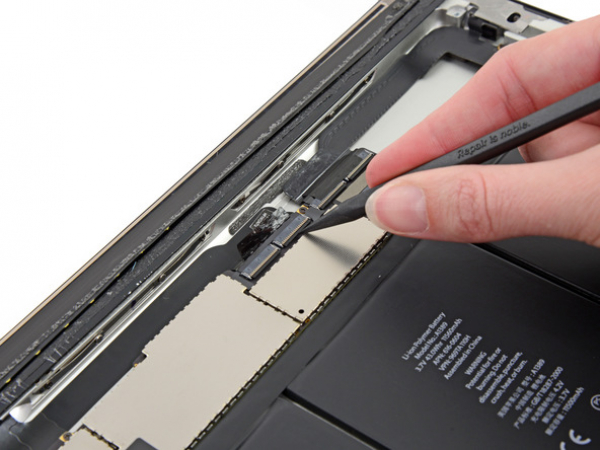
Loosen the adhesive under the digitizer ribbon cable with the flat end of a spudger.
Take out the digitizer ribbon cable out of its sockets on the logic board.
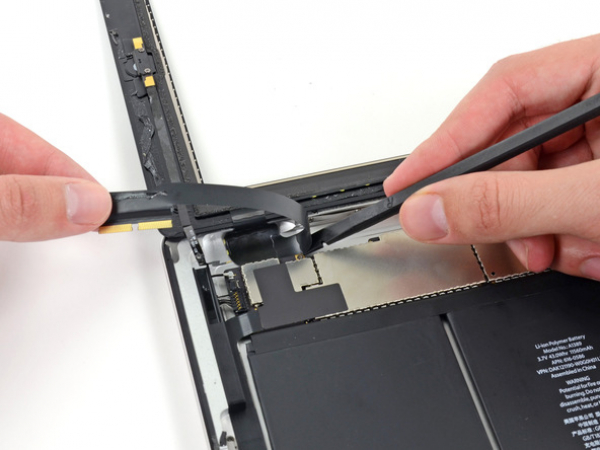


Step 8
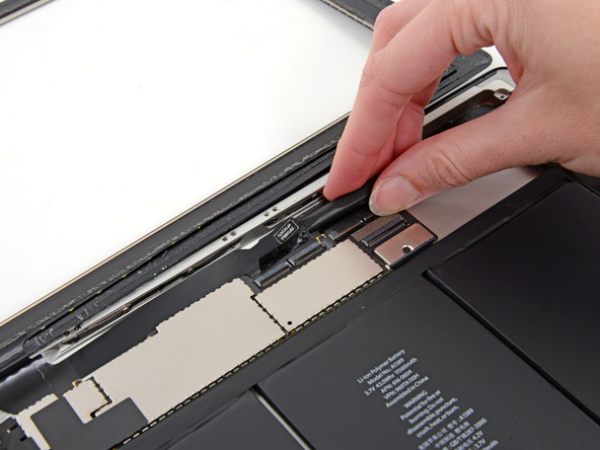
Peel back the digitizer ribbon cable. Separate the cable from the adhesive securing it to the rear aluminum case with the flat end of a spudger.
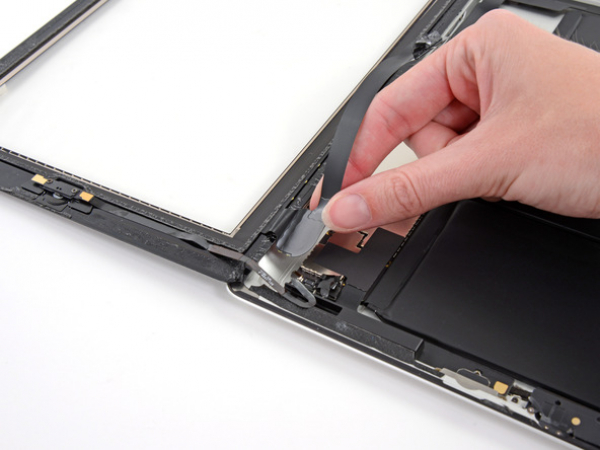
Step 9
Take the digitizer ribbon cable out of its niche in the aluminum frame. Do this with your fingers.
Separate the front panel from the iPad.
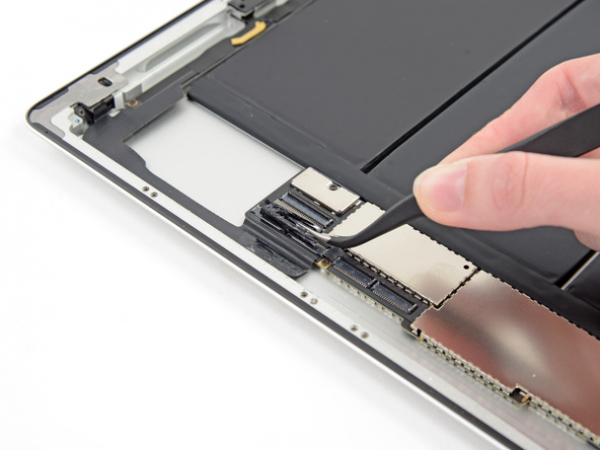


Step 10 - Headphone Jack Cable
Back to top
There's a piece of electrical tape covering the headphone jack assembly cable connector. Use tweezers to peel back the tape and remove it.
With the tip of a spudger, lift up the retaining flap on both ZIF connectors securing the headphone jack cable to the logic board.