Få penger for din gamle mobil
 Lag ditt egetdeksel og gadgets
 Ordrestatus
 Min Club Trendy


Samsung Galaxy Note 2 Battery Replacement

Send this link via e-mail
|
Tweet |
|
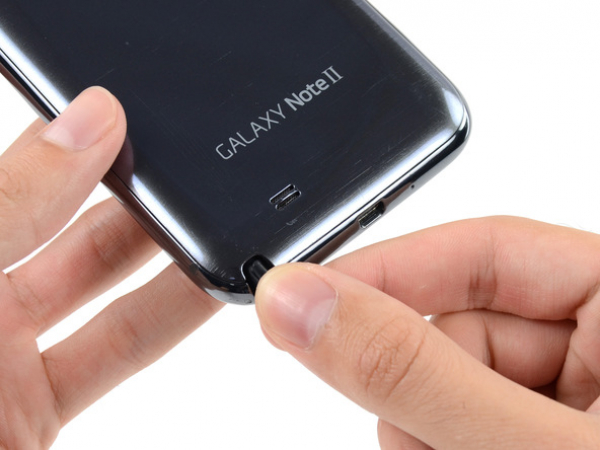


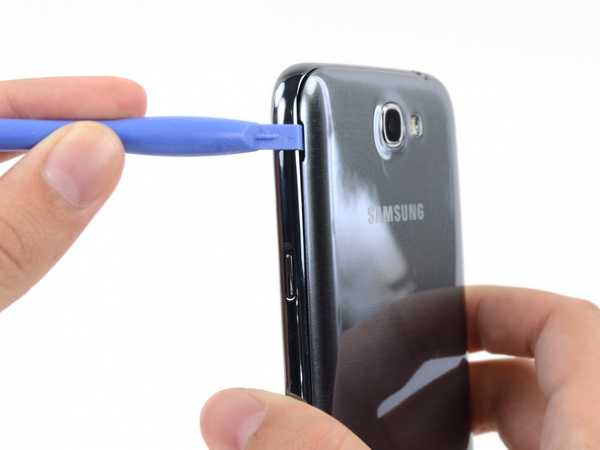


Step 2 - Back Case
Back to top
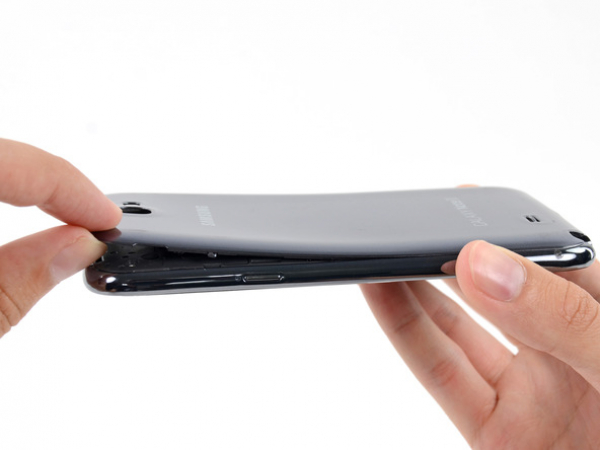
Push a plastic opening tool (or, if you don't have one, use your fingernail) into the small opening on the left side of the back camera (near the power button) to pry open the back cover.


Step 3
Take the corner of the back case closest to the small opening between your fingers and separate the back case from the phone.


Step 4 - MicroSD Card
Back to top
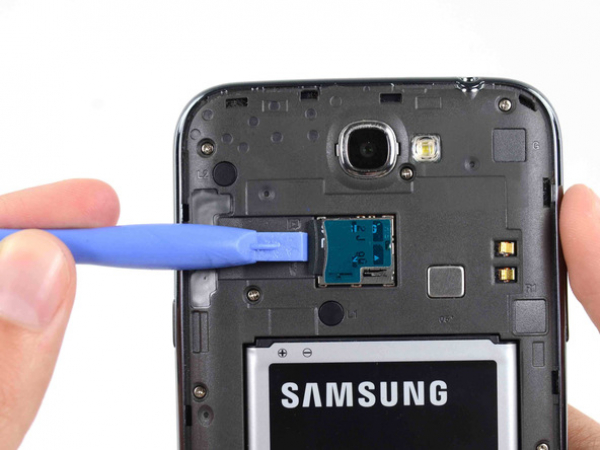
Press the microSD card (if you have one) deeper into its slot with the flat end of a spudger (or your fingernail) until you hear a click.
After the click, remove the spudger to release the card. The card will pop out of its slot and you will be able to extract it.
For reassembly, you'll need to press the card back into its slot until you hear a click.